Boutique Fitness Studio Software
Boutique Fitness Studio Software Built Around The Class Schedule.
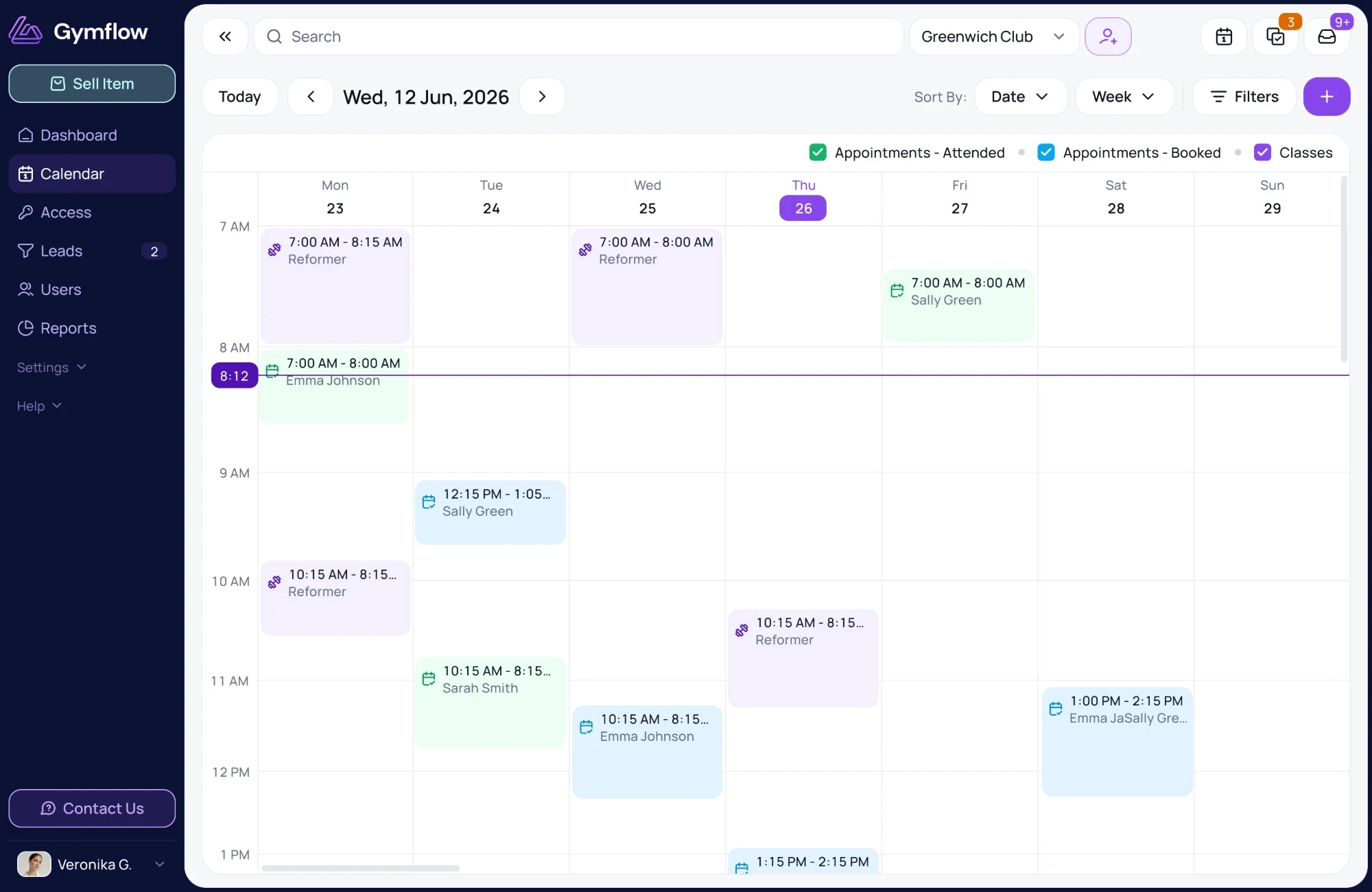
In a boutique studio, the class is the product. Gymflow makes every class easy to book, refills cancelled spots from the waitlist and helps turn intro offers into regular members, all under your own brand.
Built for HIIT, cycle, barre, boxing and other class-led studios.
4.8/5 on G2
4.9/5 on Capterra
30 days free, no minimum contract term
99% customer satisfaction
The Problem
Every Empty Spot Costs Your Studio Money.
When a class has 12 bikes or 20 spots, small booking problems turn straight into lost revenue.
Late cancels and no-shows
A member drops out an hour before class, or doesn’t turn up at all, and the spot sits empty while someone else wanted it.
Booking that takes too long
If booking takes more than a few taps, members message your team instead, or don’t book at all.
Intro offers that go nowhere
New customers try a class on an intro deal, then drift away because nobody followed up with the next step.
Class Booking
Class Booking Built For Boutique Fitness Studios.
Members find a class and book in a couple of taps from your app or website. When a class fills, the waitlist takes over.
Book in seconds
Members book from your branded app or website. Share a booking link and new customers can book in their browser, with no download needed.
Waitlists that auto-fill
When someone cancels, the next person on the waitlist is booked in automatically and their credit is used.
Capacity you control
Set the cap for each class. Your team can still add someone by hand or go over capacity when it makes sense.
No-Shows
Protect Your Classes From Late Cancels And No-Shows.
Your cancellation policy runs itself. Members see the rules before they cancel, so your team doesn’t have to explain them at the front desk.
A Cancellation Window For Each Class
Set how close to class members can cancel and still get their credit back.
Late-Cancel Fees Charged Automatically
Cancel inside the window and the fee is charged on top of keeping the credit.
No-Show Fees, Your Call
Your team applies no-show fees, so you can waive one for a regular when it makes sense.
Booking rules
Spin classes
Applied automatically
Cancellation window
12h before class
Late cancel: lose the credit
Late cancel: charge a fee
No-show: charge a fee
Staff choose
Max upcoming bookings
6 per client
Intro Offers
Turn Your Intro Offer Into Regular Members.
For most boutique studios, the intro offer is the funnel that matters most. Gymflow keeps every new customer in view from their first purchase, so nobody drifts away after one class.
1
Sell The Intro Offer Online
Put your intro pack or free first period on sale, with a booking link you can share on Instagram, your website or by email.
2
Book The First Class
New customers buy and book in any web browser, with no app to download first.
3
Follow Up Before They Drift
Let a free first period roll into the monthly plan, or follow up by email or SMS with the pack or membership that fits.
Forge Fitness · 14 Days Free
new customers from 106 SMS sent
Forge Fitness sent one SMS from Gymflow about its “14 Days Free” offer to 106 people who had downloaded the app or signed up online. 65 of them joined.
Sell
Class Packs, Drop-Ins, Unlimited Plans & Gift Vouchers.
Some members come every day, some once a week and some just want to try a class. Sell the option that fits how each person trains, online and in the app.
Class Packs With Credits Counted For You.
Sell 5, 10 or 20-class packs. Credits come off when members book, and they can see how many they have left.
- Credits counted automatically
- Members see classes left in the app
- Set an expiry for each pack
Branded App
A Members App That Looks Like Your Studio.
Members pay for your brand as much as the workout. Keep it front and centre from the first booking, instead of sending them into someone else’s marketplace app.
Your Name In The App Stores
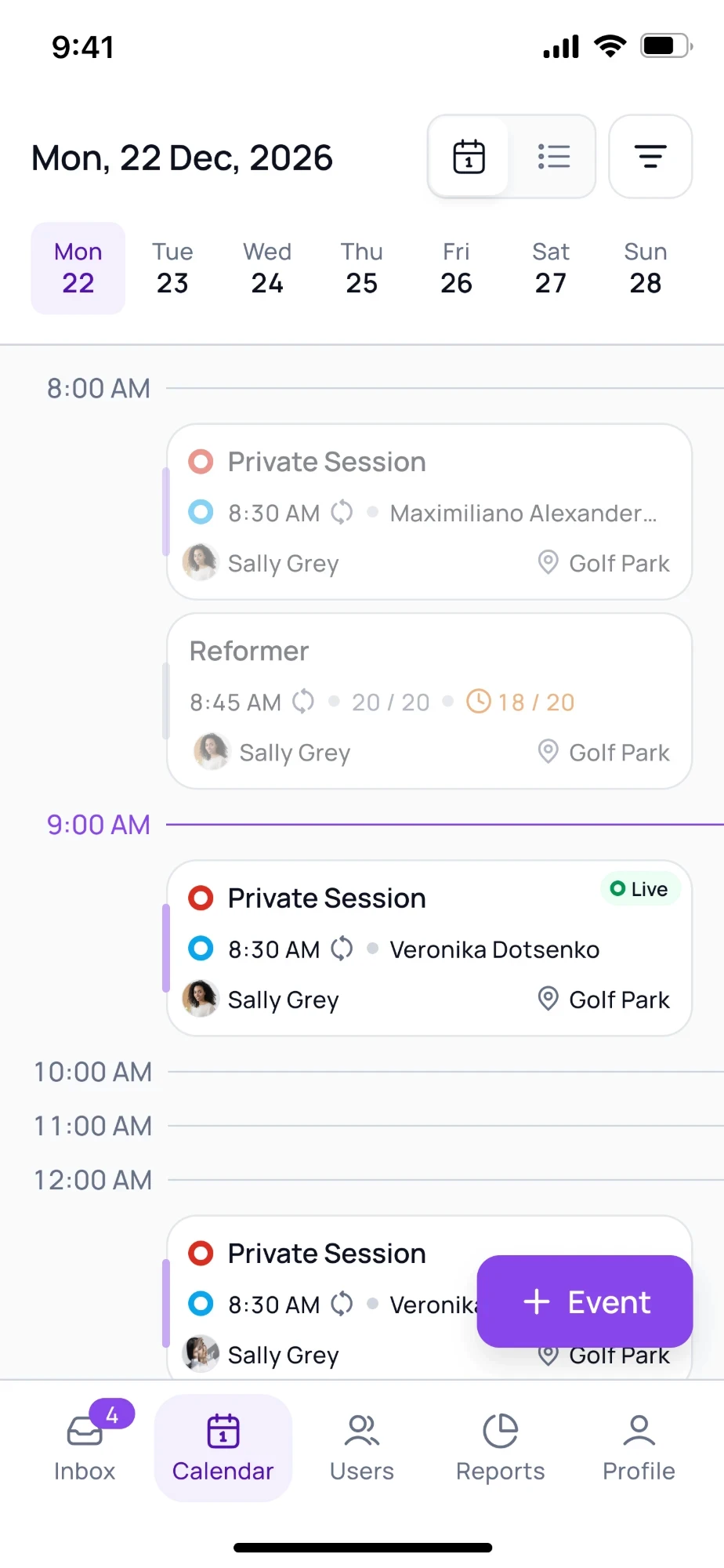
iOS and Android apps under your studio’s name, with your own app store listing. We set it up and manage it.
Your Brand From The First Booking
Your logo and colours on every screen members use to book, pay and manage their account.
Self-service built in
Members manage bookings, update their card, redeem vouchers and upgrade their membership without calling the desk.


Explore the members app
Failed payment recovery
We Chase Failed Payments So You Don’t Have To.
When a membership payment fails, Gymflow retries it automatically and lets the member know. Most balances clear on their own, so your team only steps in when an account needs a decision.
Four retry attempts, scheduled automatically
Day 1, then two, three and seven days after the last attempt
Most balances recover with no staff involvement
And when a retry doesn’t land
One overdue report
Unpaid balances sit in the overdue report until they clear, with the next retry date against each one. Turn on the Membership Overdue automation and members are emailed too.
Members settle in the app
Members pay the balance or update their card in the Members App. Your staff only step in when the account needs a decision.
Card, wallet or bank payment
Retries and one-off settlements run on the payment method the member has saved.
Card
Apple Pay
Google Pay
Link
Bank Payments
Success Stories
Built For Studios Where The Class Comes First.
Forge Fitness runs 8 to 10 classes a day on weekdays alongside an open gym. Scott set up the full class timetable in about an hour, went live in seven days and had nearly 100 members sign up within 14 days.
“With a busy schedule of classes throughout the day, it’s important that members can quickly scroll through available times and secure their spot on the go.”
S
Scott
Forge Fitness, UK
Data migration
We Move Your Studio’s Data For You.
Switching feels risky when members still have credits left on their packs. We do the migration with you, so every member keeps what they’ve paid for.
Tell us what you use today and we plan the move with you on a video call.
Your onboarding lead checks the details with you before you go live, so nobody gets a free year by mistake or loses a pack they bought last week.
Your clients get an invite to your new app and pick up where they left off.
What you can move across
A member with four classes left on her pack opens your new app on launch day and sees exactly four classes left.
Users, leads and staff records
Recurring and prepaid memberships
Class packs and remaining credits
Class counts and milestones
Card and bank payment methods
Not sure what will move from your current system? Talk it through with our team.
FAQ
Boutique Fitness Software FAQs.
Check our frequently asked questions.
The next eligible person on the waitlist is booked in automatically and their credit is used. Closer to class time it switches to opt-in, so everyone waiting is notified and the spot goes to whoever claims it first. You set when that switch happens.
Yes. A late-cancellation fee can be charged automatically when someone cancels inside your window, on top of keeping the credit. No-show fees are applied by your team, so you can waive one for a regular when it makes sense.
It can. Give a membership a free first period that rolls into the monthly plan, as Forge Fitness did with its 14 Days Free offer. Or sell a standalone intro pack that ends, then follow up by email or SMS with the pack or membership that fits.
Yes. Class booking links work in any web browser, so a new customer can buy and book from a link on Instagram, your website or an email. That makes them handy for promoting an intro class.
Yes. The branded app option gives you iOS and Android apps under your studio’s name, with your own app store listing. Gymflow sets it up and manages it, so there’s no extra work for your team.
Gymflow is one flat monthly plan with every feature included, no user limits and no minimum contract. You get 30 days free to start. Check the pricing page for current prices.